
Is Your Vendor List a Mess? Here is How to Fix It
If you have been in business for a while, your vendor list probably looks a little bit like a junk drawer.
You know, the one in your kitchen where you throw random keys, batteries, and rubber bands? Over the years, you add a new vendor here, a new contact there, and before you know it, you have a mess.
You might see the same supplier listed three different times with slightly different names (like "ABC Traders," "ABC Traders Pvt Ltd," and "ABC Trading"). You probably have some phone numbers that haven't worked since 2015, and you definitely have missing GST numbers.
It might seem like just a small annoyance, but a messy vendor list is actually costing you real money. It slows down your purchasing team, it leads to mistakes in your payments, and it makes tax time a nightmare.
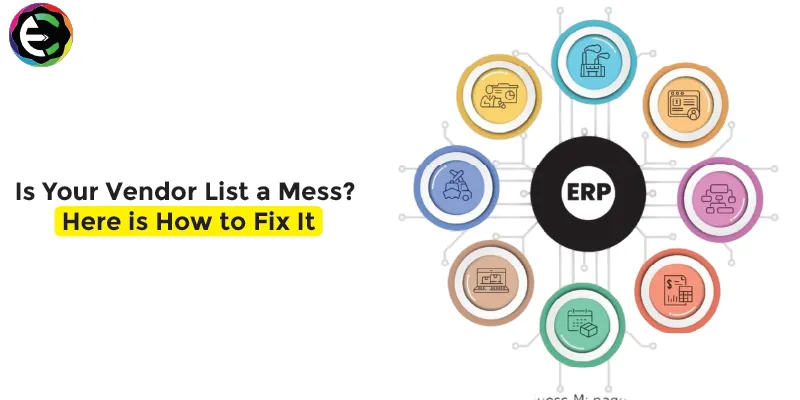
But don't worry, you can fix this. A good ERP system, like Quantum ERP, has the tools you need to clean up that list and keep it clean for good. Here is how you can do it.
The Costs of a Messy Vendor List
- Duplicate Payments: When you have the same vendor in your system twice, it is very easy to accidentally pay the same invoice twice. This is a painful waste of cash.
- Compliance Risks: If you have the wrong GST number (or no GST number) for a vendor, you can't claim your input tax credit. That is effectively like throwing money away.
- Wasted Time: Your team wastes precious hours every week just searching for the right contact info or trying to figure out which vendor account to use.
- Missed Savings: If you can't see your total spend with a single vendor because it is split across three different accounts, you loose your power to negotiate for a better price.
Step 1: Get Everything in One Place
The first step is to stop using multiple spreadsheets and sticky notes. You need to move all your vendor data into one central system. Quantum ERP gives you a single, unified database. This means you have one "Master" record for every vendor.
Step 2: The Great Cleanup (De-Duplication)
Now it is time to find those duplicates. In Quantum ERP, you can pull a report of all your vendors. Look for names that are similar. When you find duplicates, you don't just delete them (because you might lose old transaction history). Instead, you merge them or deactivate the old ones so no one can use them again.
Pro Tip: Use the GST number as your unique ID. A vendor should only have one GST number. If you see the same GST number for two different vendor codes, you know you have a duplicate.
Step 3: Verify the Details (The GST Check)
This is crucial for Indian businesses. You need to make sure every active vendor has a valid GST number and PAN. Quantum ERP requires you to fill in these fields correctly. You can even set mandatory checks so that a new vendor cannot be created without this valid data. This simple step saves you from a massive headache when you are filing your GSTR returns.
Step 4: Add the "Human" Details
A vendor is more than just a company name; it's people. Update your records with the correct contact person, their direct mobile number, and their email address. In Quantum ERP, you can store multiple contact persons for one vendor (like one for Sales and one for Accounts). This stops your team from wasting time calling the wrong person.
Step 5: Set the Rules for New Vendors
Cleaning up your list is great, but you need to stop it from getting messy again. You need a gatekeeper. With Quantum ERP, you can set up an approval process for creating new vendors. This means a junior employee can't just type in a new name whenever they feel like it. A manager has to review and approve it first. This keeps your data pure.
The Long-Term Benefit
Once your list is clean, your business runs smoother. Your purchase orders go to the right email address every time. Your payments are accurate. Your tax returns are easy. And you can finally see exactly how much you are spending with each supplier.
A clean vendor list isn't just about being organized; it's about being professional and efficient. If you are ready to dump the junk drawer and get your data in order, Quantum ERP is the tool to help you do it.