
Is Your Warehouse Hiding Money from You?
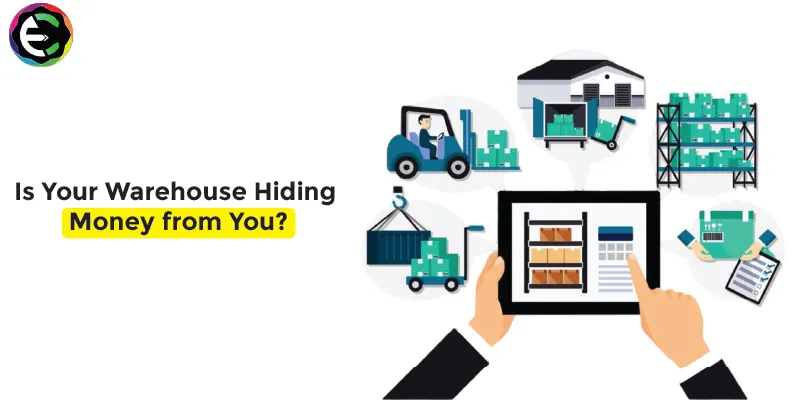
Walk into your warehouse. What do you see? Rows of shelves, boxes, and pallets, right?
Now, try to look at it differently. Instead of boxes, imagine stacks of cash sitting on those shelves. That is what inventory is—it's your hard-earned money tied up in physical goods.
The problem is, in many businesses, a lot of that money is hiding. It is sitting in dusty boxes at the back of the shelf that no one has touched in a year. It is hidden in "safety stock" that is five times larger than it needs to be. It is lost in damaged goods that were never written off.
This is what we call "Dead Capital." It is money that could be used to grow your business, hire new staff, or launch a marketing campaign, but instead, it is just gathering dust.
Here is how a good ERP, like the ones we build at ERP Crystal, acts like a metal detector to find that hidden money.
The "Just in Case" Trap
Many warehouse managers are terrified of running out of stock. So, they order extra. Then they order a little more "just in case." Over time, this piles up. You end up with 500 units of a part when you only sell 50 a month. That is cash you can't use.
How ERP Helps: An ERP looks at your actual sales history. It tells you, "Hey, you only sell 50 of these a month, so you only need to keep 75 in stock, not 500." It sets automated reorder points based on real data, not fear. This slims down your inventory and frees up that cash instantly.
The Invisible Expired Stock
In industries like food, chemicals, or pharma, stock has a lifespan. If you are using a manual system, it is very easy for older batches to get pushed to the back. They sit there until they expire, and then you have to throw them away. That is literally throwing money in the trash.
How ERP Helps: ERP uses methods like FEFO (First Expired, First Out). The system tells your pickers exactly which box to take—the one that is expiring soonest—not just the one that is closest. It ensures you sell your goods before they go bad.
The "Lost" Inventory
How many times has your sales team said "We are out of stock," only to find the item three days later hiding in the wrong bin? When you can't find it, you can't sell it. Or worse, you rush-order more from a vendor at a higher price because you think you are out.
How ERP Helps: With a system that uses barcodes and bin locations, every single item has a specific "address" in the warehouse. You know exactly where it is. You never lose a sale because you couldn't find the product.
Cost of Carrying
Many business owners forget that holding inventory costs money. You have to pay for the rent of the warehouse, the electricity, the insurance, and the staff to count it. The more stuff you have, the more it costs to keep it. Reducing your stock levels by even 20% can slice a huge chunk off your monthly operating bills.
It’s About Flow, Not Storage
Warehouses shouldn't be museums; they should be transit hubs. Goods should come in and go out as fast as possible. If your warehouse is hiding money, it’s time to find it. An ERP system shines a light on every dark corner of your stock room. It helps you turn those dusty boxes back into working capital. Stop letting your warehouse hide your profits.